Managing your fleet and drivers just got easier and more organised.
With the new Resource Management section, you can manage vehicles, trailers, drivers and users in one place, organise resources by carrier group, and control which resources are available for each group’s trips.
|
|
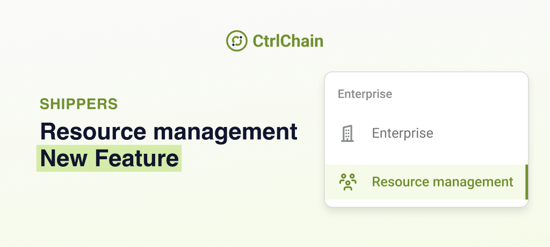
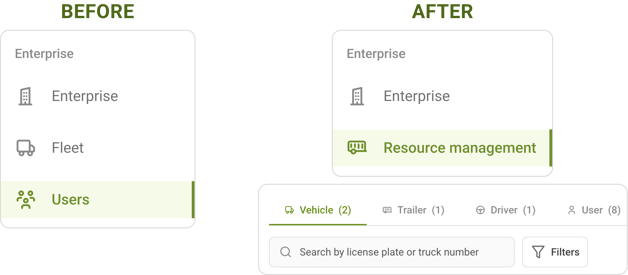
What's new?One place for all your resources. The Fleet and Users sections in the Enterprise menu are now combined into one section: Resource Management. When you open it, you first select the carrier group you want to manage. You’ll then find four tabs:
Your existing Users bookmark will continue to work and take you directly to the User tab. |
|
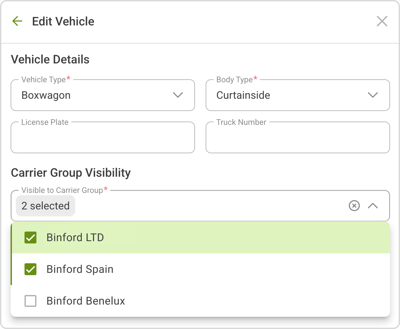 |
Each carrier group gets its own fleetFrom Users to Resource Management You can now decide which carrier groups can use each vehicle, trailer and driver. This means that when assigning resources to a trip, you’ll only see the vehicles, trailers and drivers available to the selected trip’s carrier group. Nothing changes on day one. All your existing resources will initially be available to every carrier group. You can adjust these assignments whenever you're ready, giving you more control over how your fleet is organised. |
|
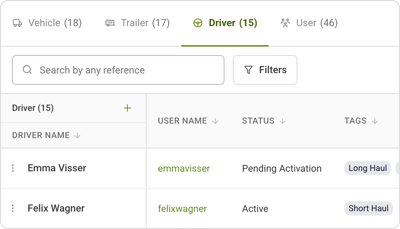 |
Drivers get their own tabDrivers now have a dedicated Drivers tab, where you can add, edit and remove them. They will still appear in the Users tab as well. If you assign or remove the driver role from someone in the User tab, the Driver tab will update automatically. |
|
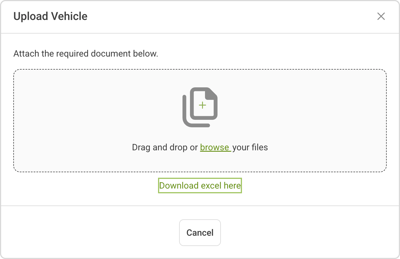 |
Add vehicles and trailers in bulkManaging a large fleet is easier with the new bulk upload option. You can add multiple vehicles and trailers at once using a spreadsheet, saving time when updating your resources. |
What do you need to do?
Nothing straight away. Your existing fleet and drivers will already be available in Resource Management.
When you're ready, you can review which carrier groups each vehicle, trailer and driver should belong to and adjust their availability accordingly.
More control over your fleet
Resource Management brings your vehicles, trailers, drivers and users together in one place. By organising resources by carrier group, you can make sure the right people and equipment are available for the right trips.
If you have any questions, please contact your CtrlChain contact person.