
Reduce risk, improve compliance, and keep full visibility over where trucks stop
Unplanned or unsafe parking increases the risk of cargo theft, delays, and compliance issues.
With Secure Parking feature, you can ensure your drivers follow parking requirements, reduce risk during stops, and keep cargo secure throughout the journey.
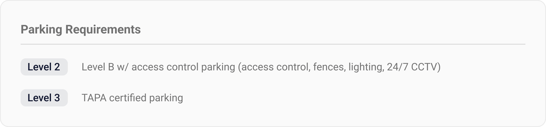
Parking Requirements
Parking requirements define what level of parking is required for an order.
When specified, the required parking level (Level 0–3) is shown in the “Parking Requirements” section of the order details page. Parking requirements describe the rule, not the location.
Parking Locations (Where Parking Is Allowed)
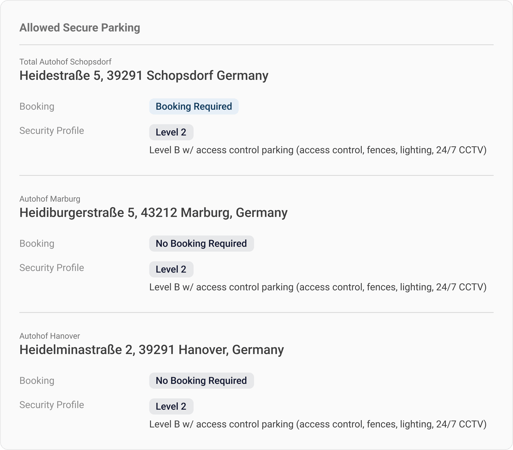
Parking locations define where parking is permitted.
-
Parking locations and their geofences are visible to the driver in the mobile app
- Parking locations are also visible on the map in the system
- Parking locations are visible in the transport order email
Automatic Parking Notifications
Parking behavior is monitored during transport. A notification is triggered when:
-
The truck, trailer, or driver’s phone is stopped for more than 30 minutes
-
Speed drops below 10 km/h
-
The stop occurs outside an allowed parking location (300 m radius)
When this happens:
-
An email notification is sent
-
The driver receives a notification in the mobile app
Everyone works with the same information, at all times.
If you have any questions or require assistance, your account manager will be happy to help!